AI-powered internal tools
From a documentation hub to an AI agent, internal tools that helped designers and engineers build together at Meta.
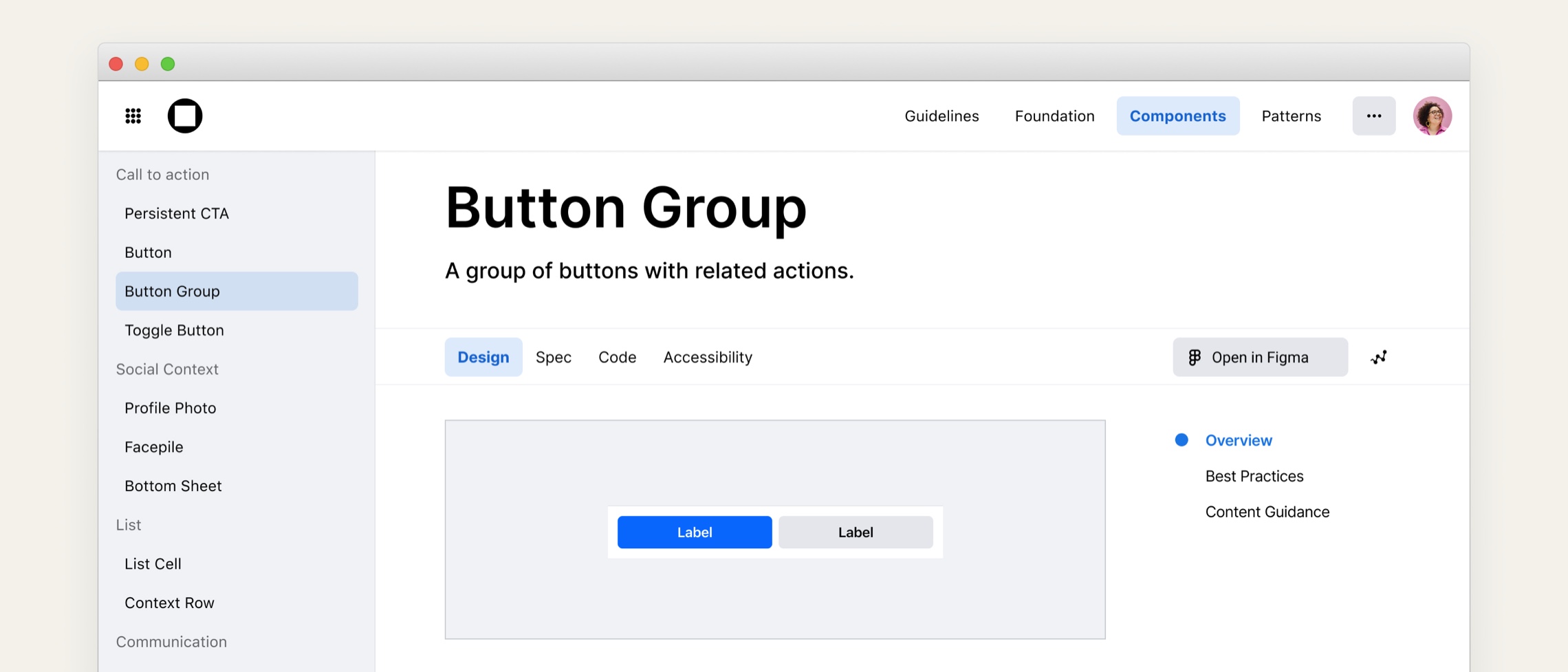
Overview
Good design systems don't run themselves. Behind every component library and documentation site is a layer of tooling that makes the whole thing usable. For much of my time at Meta, building and refining that layer was my job.
I joined Meta's internal tools team embedded within an organization that supported design systems across the company. Handoff was inconsistent, documentation was hard to maintain, and as my role shifted to the Facebook design system, AI capabilities were entering the product roadmap faster than teams could make sense of them. The tools I built shifted from solving workflow friction to changing how designers and engineers collaborate entirely.
The problem
When I began working on the internal design system documentation hub, sentiment favorability was low. The site was meant to be the shared source of truth, but many people found it clunky and lacking value. It was seen as a tool for designers, so product engineering teams were building their own component libraries instead.
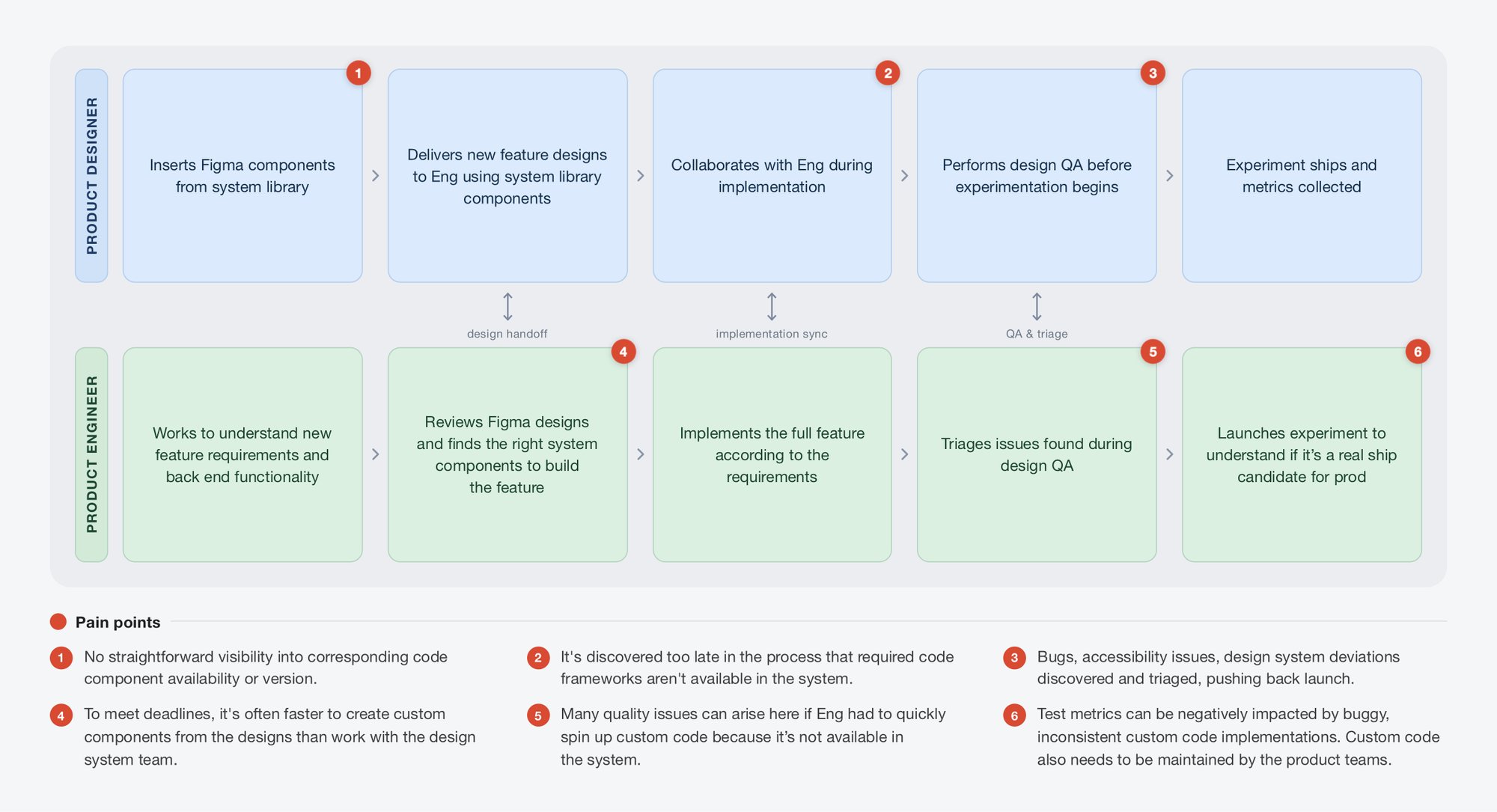
There was also no easy way to see whether a component existed in both Figma and code. Designers would sometimes use a Figma component that had never been built, and engineers would build a custom version on the spot to ship on time.
Setting a direction
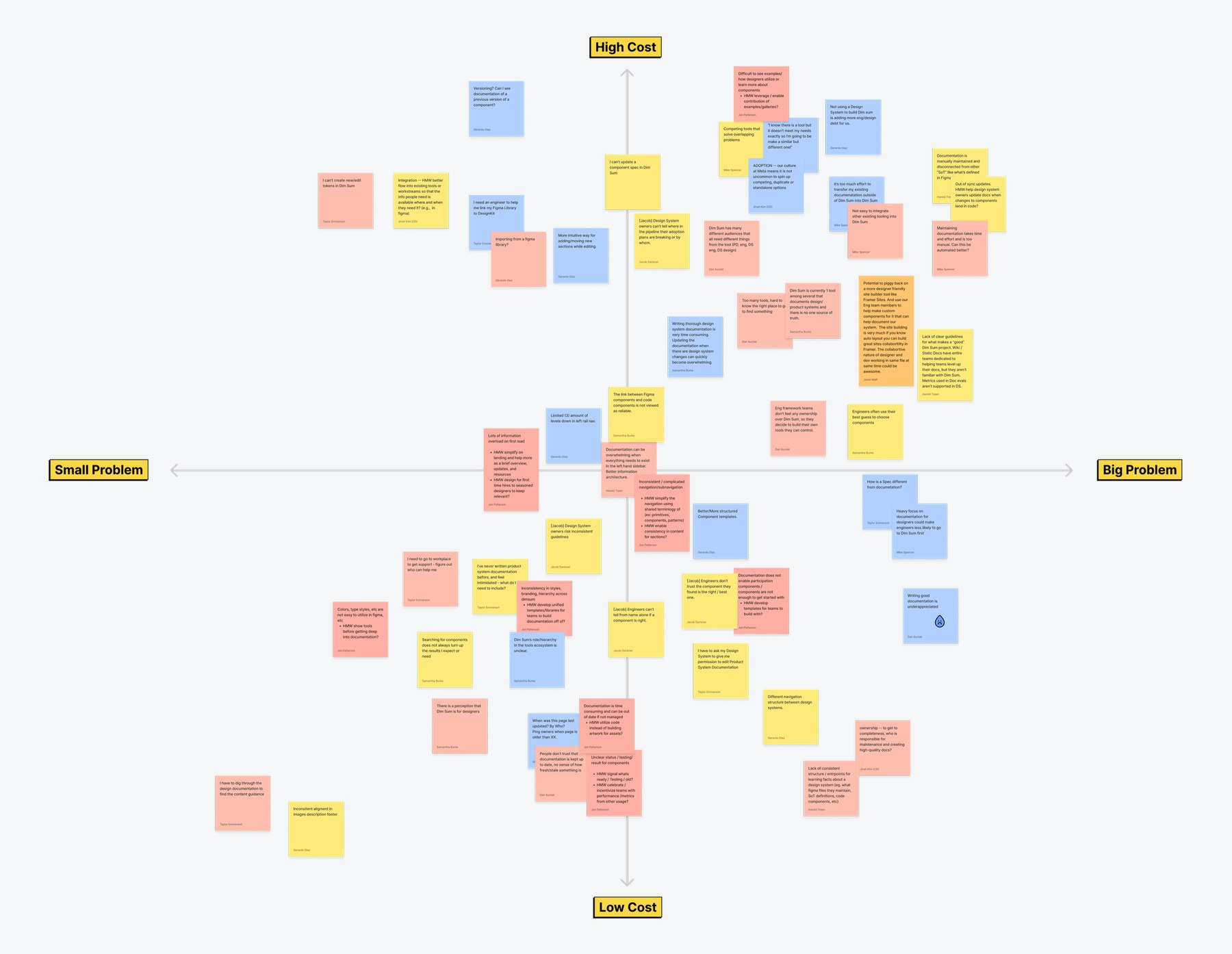
Before building anything, I ran a two-day vision sprint with over a dozen leads from design systems across Meta. In a series of workshops, we set long-term goals for the product and listed the problems standing in the way, then used dot voting, mind mapping, and Crazy Eights to prioritize them.
We plotted every solution on an impact and effort matrix. That prioritized list drove our roadmap.
Connecting design and code
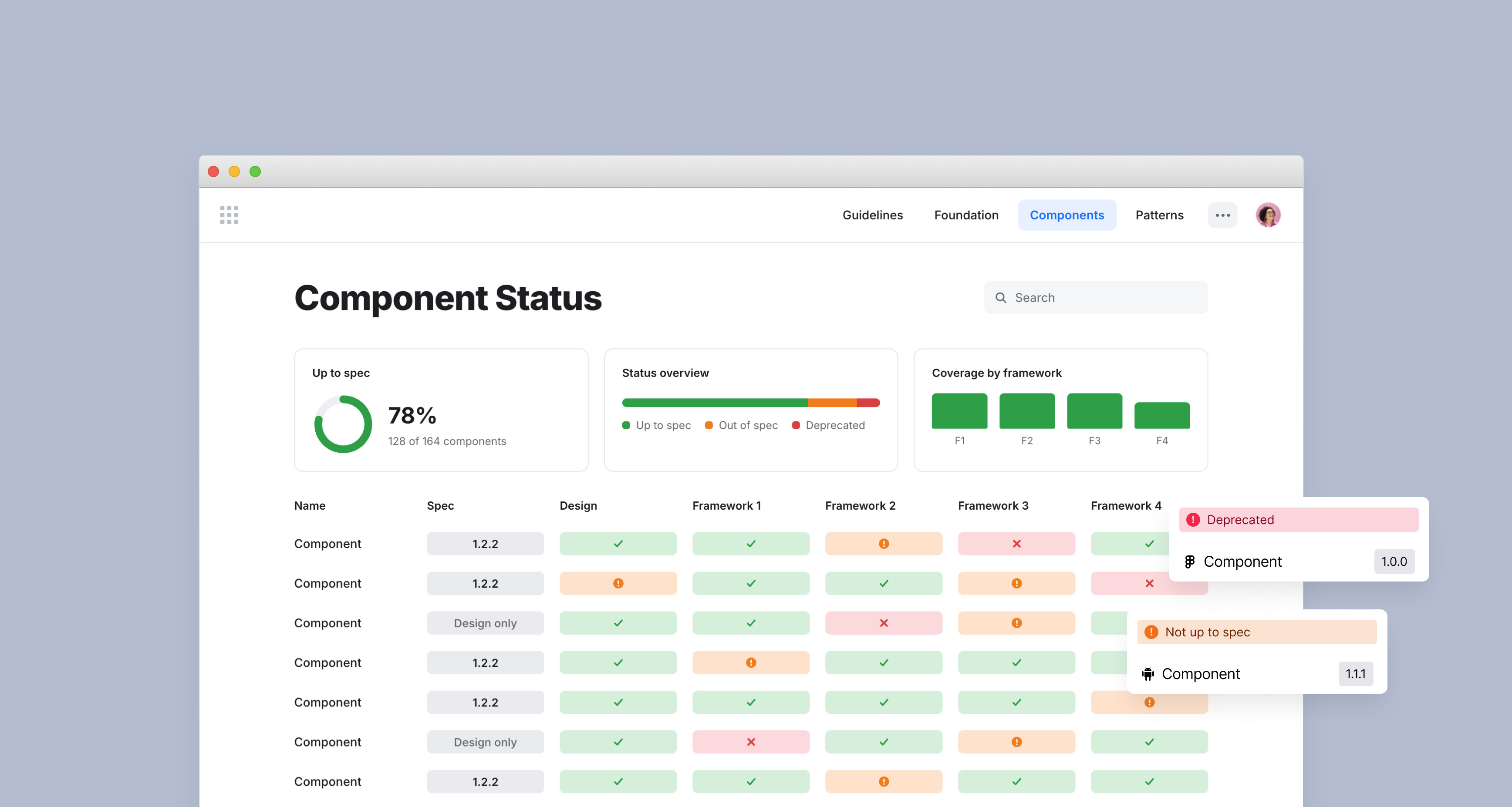
My team shipped the #1 ranked problem from the vision sprint: a component status dashboard. Product teams now had an easy way to find out if the components they needed for their next feature were designed and built to the latest version, and if they weren't, they had the opportunity to ask their design systems to prioritize updating those components. The goal of this feature was to prevent bottlenecks and roadblocks that sometimes large design systems can create.
Outcomes
Favorability rose 11 points with 14 major features shipped during my time on the team. Engagement steadily increased to 1k daily average users as more designers and engineers relied on the tool.
Features shipped
Figma-to-code link
Problem solved
From documentation to AI agent
When AI tools entered the roadmap, the design system documentation hub became one of the sources an internal AI agent was trained on, so its quality directly affected how well the agent could reason. I worked to make the content accurate, consistent, and structured for a model to learn from.
I collaborated with a small team to launch the agent, and I coordinated multiple dogfooding sessions to train it. We scored its responses to real questions and used those findings to build a repeatable framework for assessing AI-generated output. The goal was to make AI-generated answers reliable, actionable, and transparent.
After weeks of thorough training and multiple evaluation rounds, the agent met the launch bar and is now live across the design org.