Modernizing a nationwide fleet workforce
Replacing legacy dispatching software with an intuitive system that scaled across the country.
Overview
The client was a nationwide traffic control company whose legacy dispatch software had not kept pace with the business. Dispatchers, Office Managers, and Project Managers were working around the tool instead of with it. I led research, design, and delivery of a replacement built around how their teams actually worked.
Research
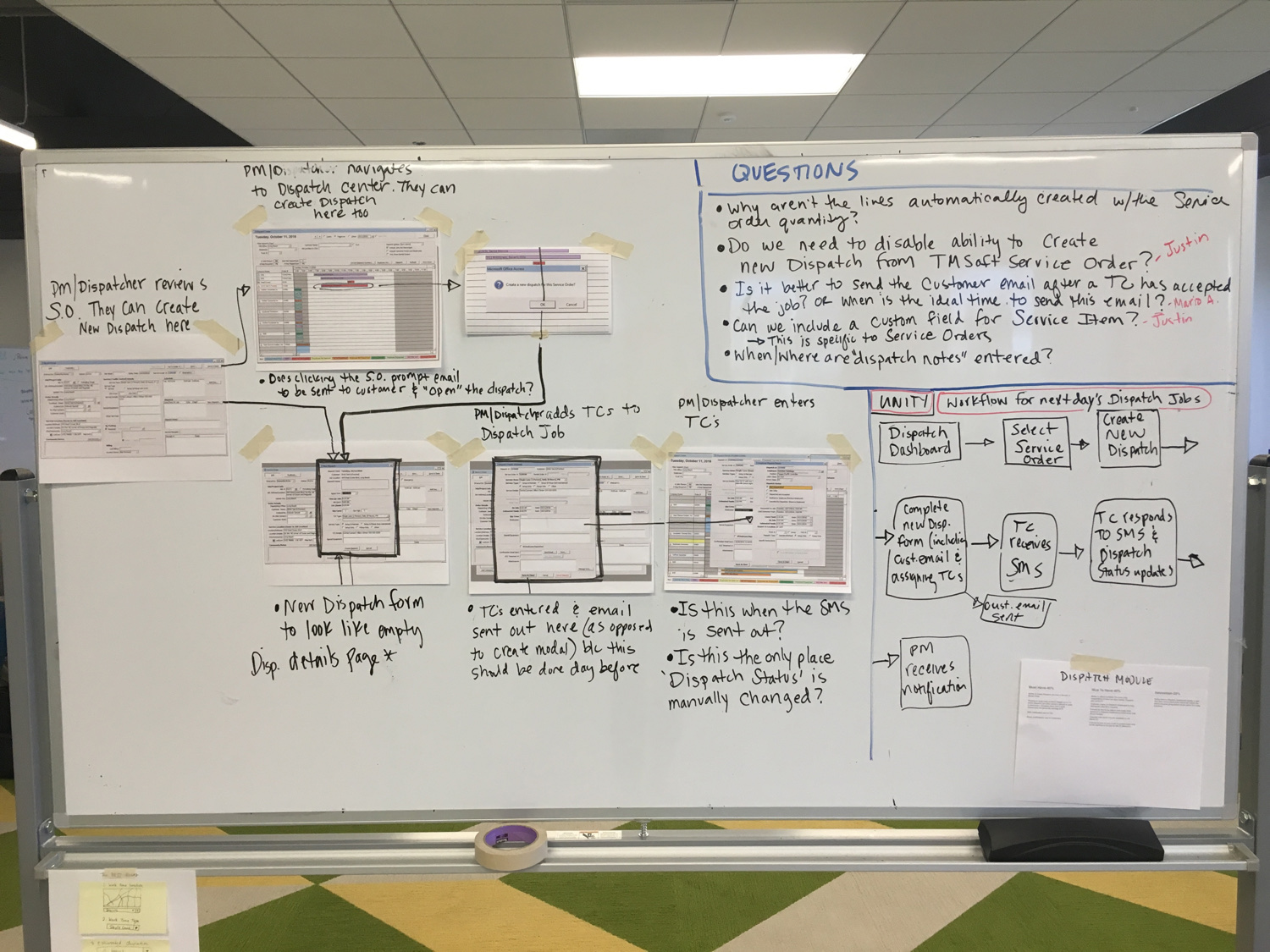
I started with stakeholder interviews, then traveled to branches for contextual research with five users across roles. Watching people do their jobs surfaced problems that hadn't been named and validated the ones that had. User interviews established priorities: batch SMS confirmations to traffic controllers, fewer steps in daily workflows, and the ability to reassign TCs from previous jobs without rebuilding records. Competitor analysis informed the design direction.
Design
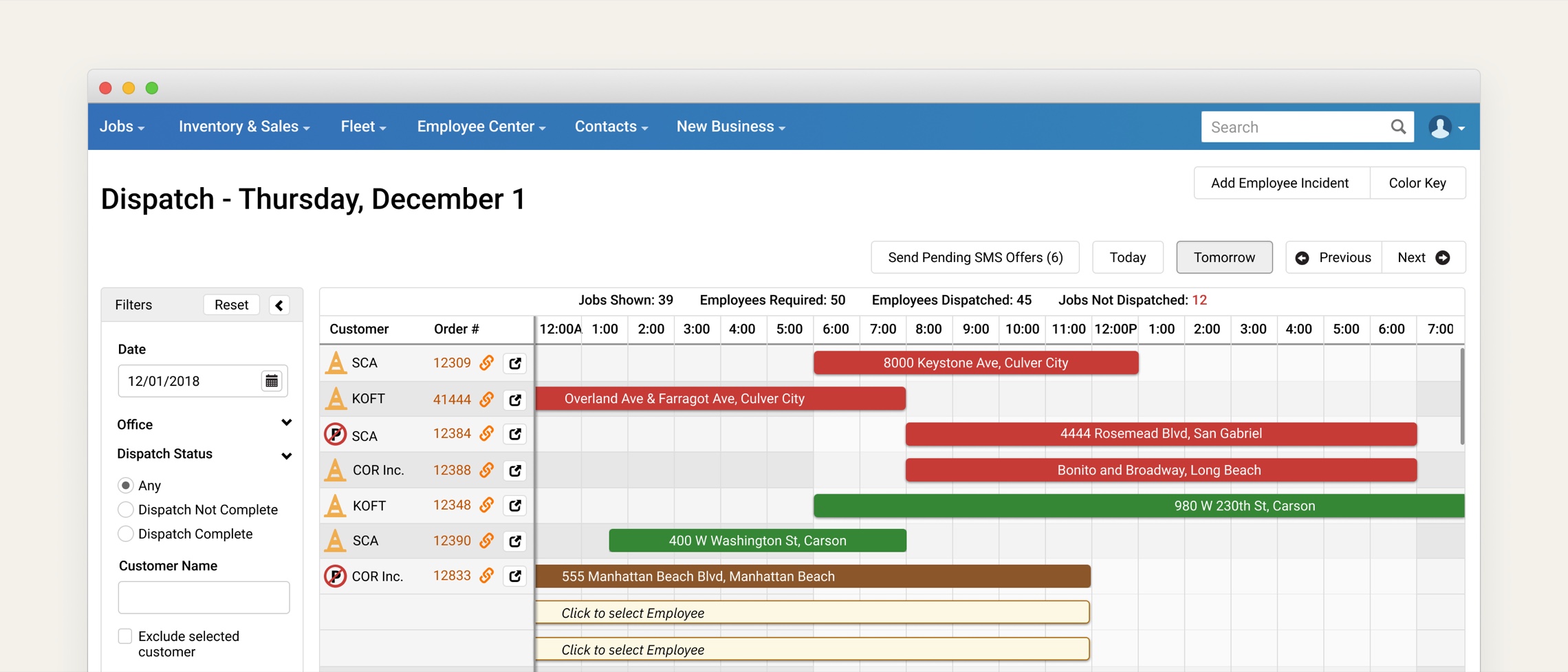
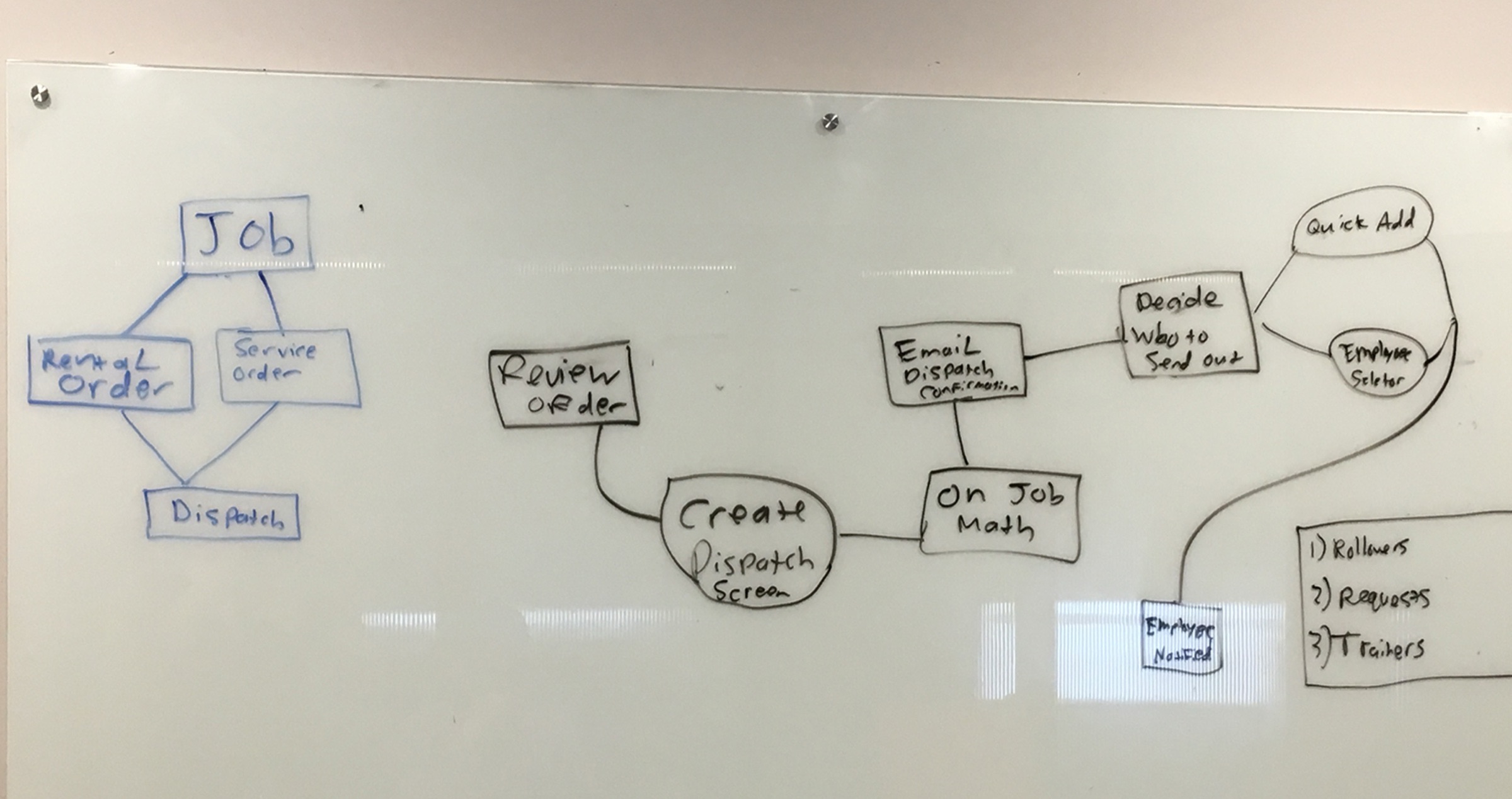
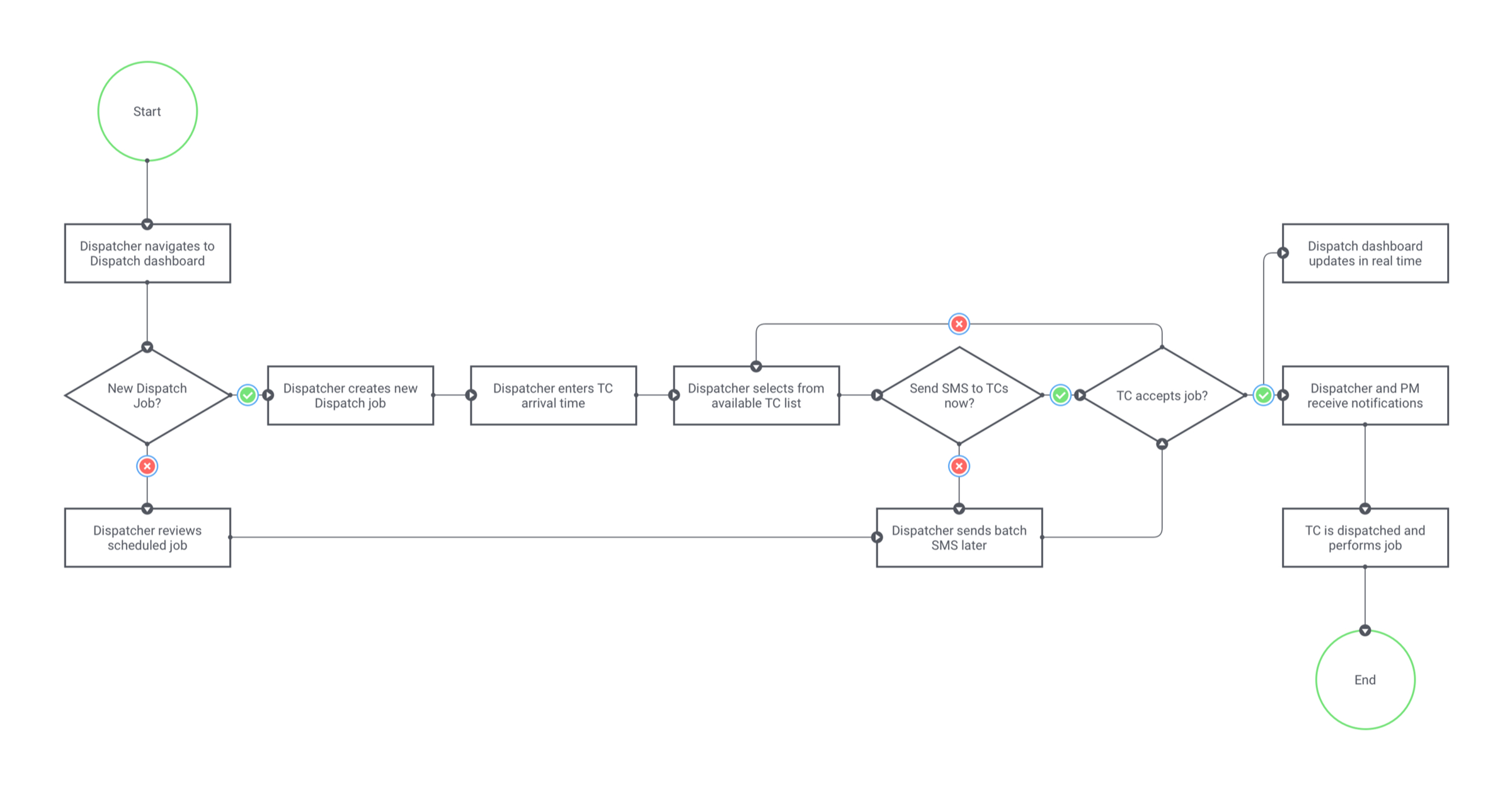
I mapped user flows for the highest-friction paths before moving into lo-fi prototypes. Stakeholder feedback cycles kept the work moving and grounded. The final designs streamlined the core dispatch workflow and delivered the features users asked for most: batch messaging, quick-access order links, integrated employee incidents, FAS equipment tracking, TC reassignment from prior jobs, and driver designation for legal compliance.
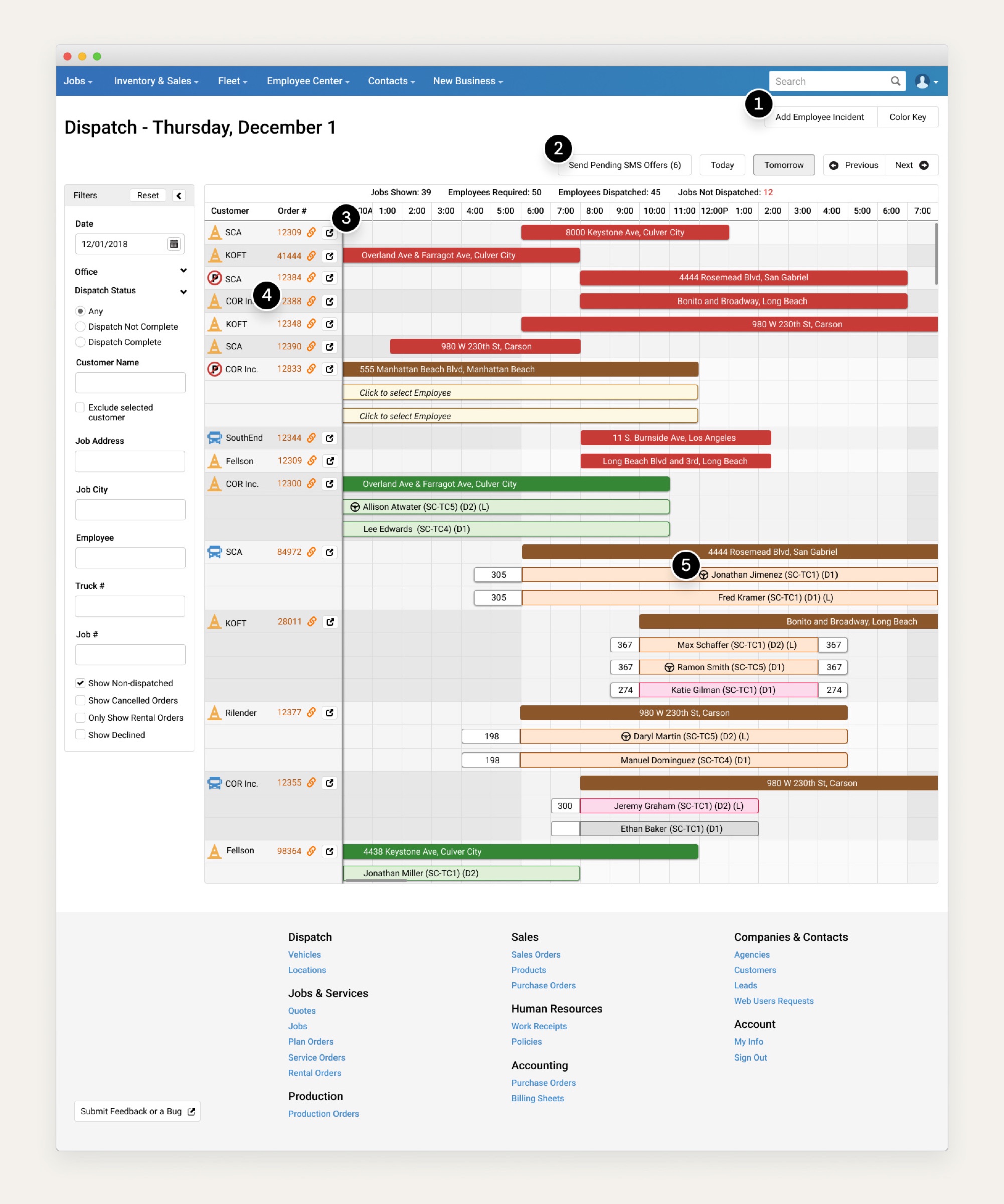
- Employee Incidents built in, so dispatchers and office managers no longer leave the dispatch center to file them in the legacy system.
- Batch SMS: dispatchers can text multiple traffic controllers at once instead of one at a time.
- A modal surfaces order information for quick reference.
- A quick link to each order in the legacy system, easing the transition while teams straddle both.
- Flags which traffic controller is the driver, so legal and dispatchers know who's responsible for the vehicle.
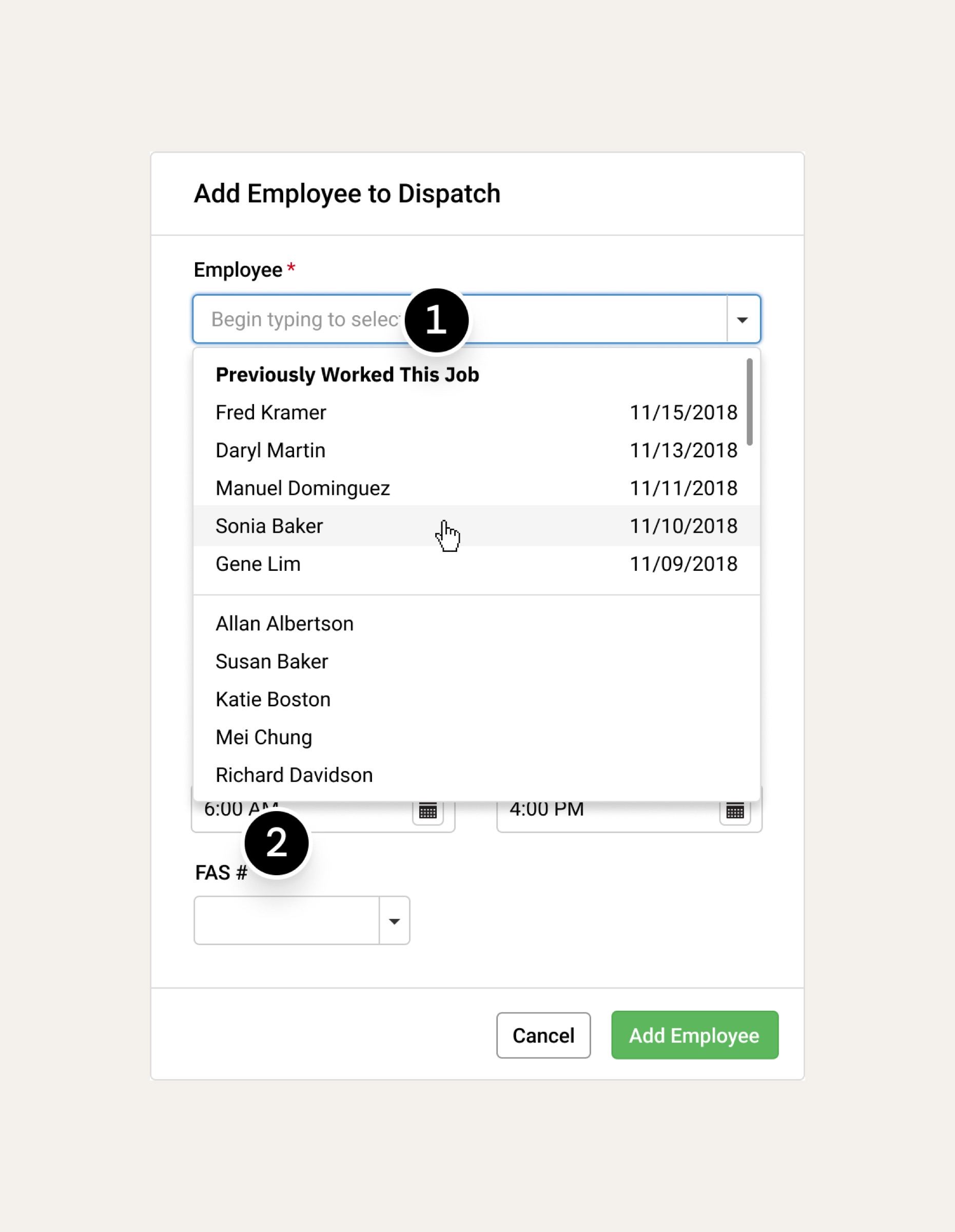
- Assign TCs from previous jobs: the system lists controllers who worked this multi-day job before, in chronological order.
- Assign FAS equipment to jobs, giving dispatchers, office managers, and owners a way to track expensive gear.
Rollout
The system launched in Southern California offices before going nationwide. Starting regionally let us catch issues early and build confidence before scaling. It replaced years of legacy software and gave every branch a faster, clearer way to manage their workforce.