Designing for the inventory ecosystem
Inventory software redesigned from the warehouse floor to the manager's desk, with a design system built to scale across web and mobile.
Overview
ServiceTitan's inventory module served two very different user types: warehouse staff doing physical work on the floor, and inventory managers handling purchasing and logistics from a desk. The problems they faced were equally different, and so were the solutions. These two projects, tackled separately but part of the same ecosystem, show how I approached both.
Inventory App
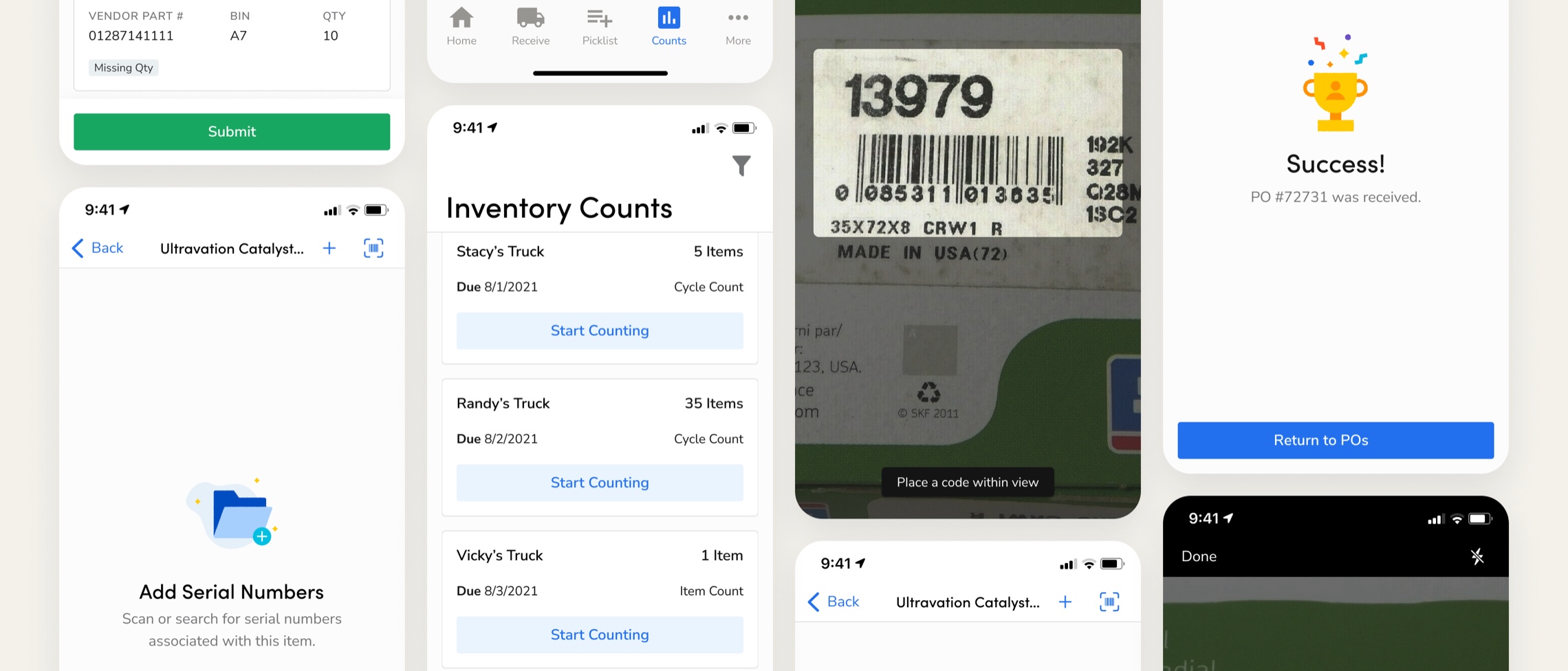
Warehouse team members were managing inventory entirely on paper. There was no mobile app, no digital record of what moved in or out, and no way to track transactions in real time. I spent time onsite at a customer's warehouse to understand the workflow firsthand, mapping the full replenishment process across warehouse staff, purchasing managers, and accounting teams.
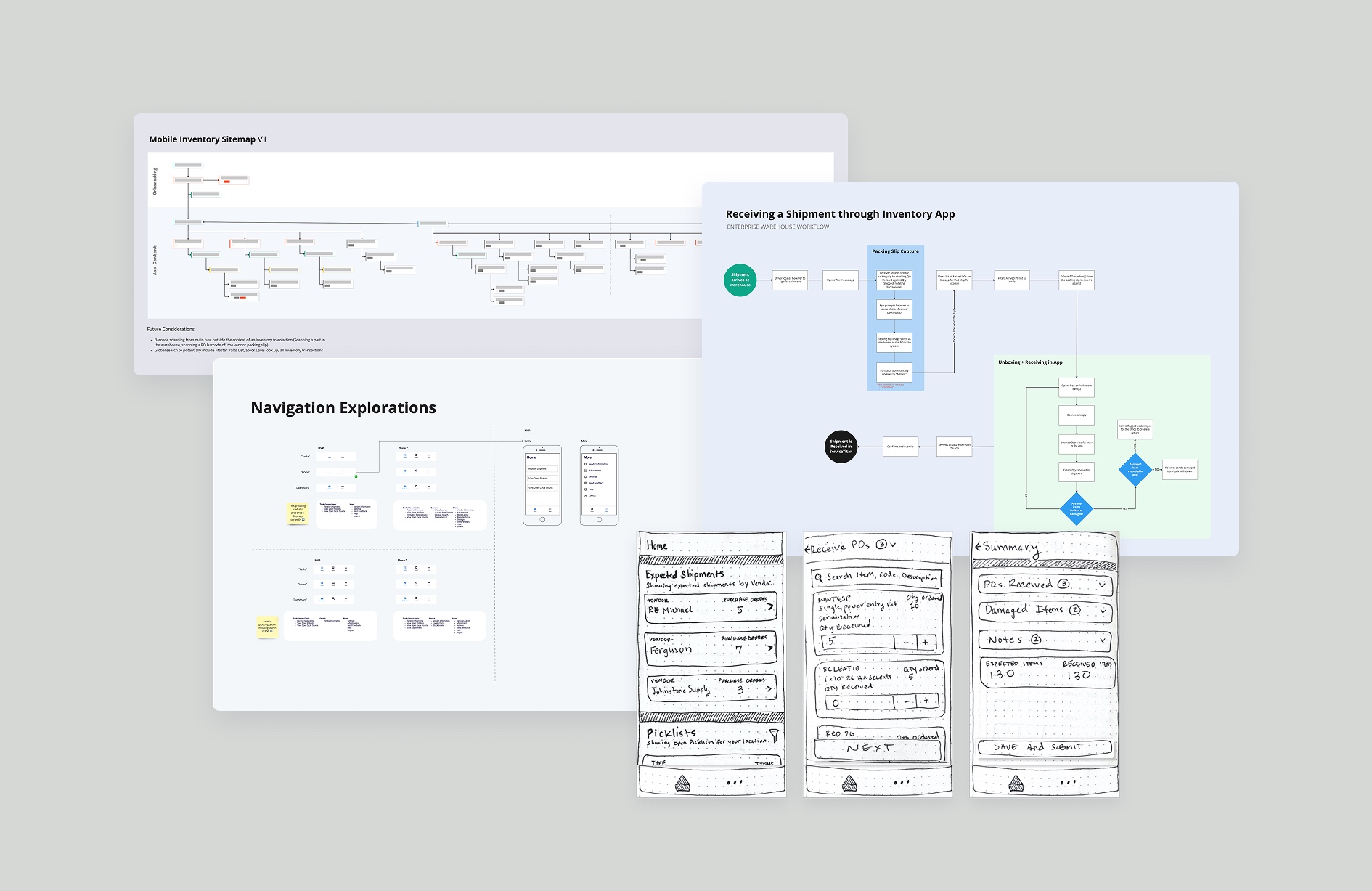
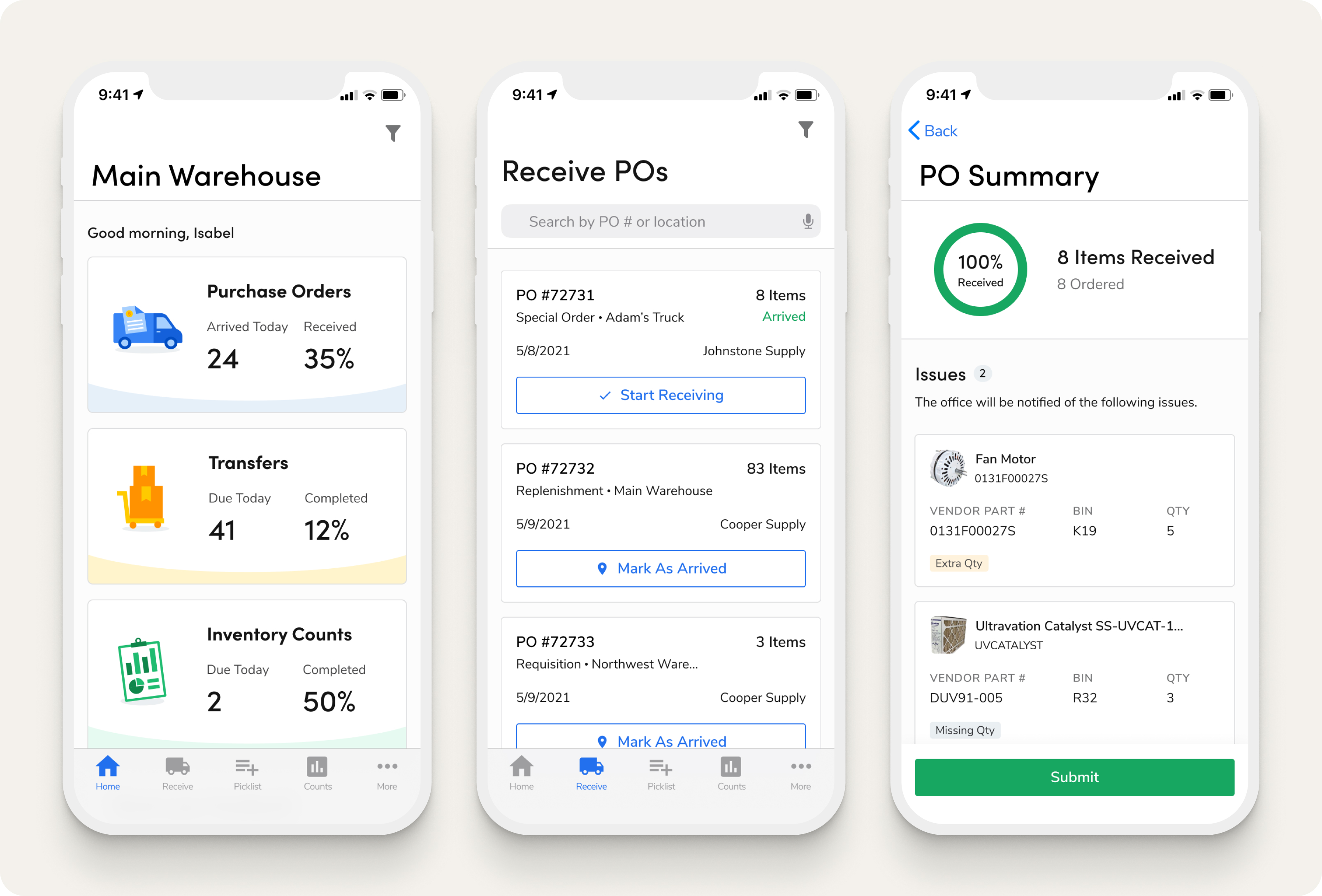
From that research, I designed the 0-1 mobile experience for both Android and iOS, validating the work through moderated usability testing with warehouse staff and inventory managers. I also partnered with the Anvil design system team to expand their component library to support mobile for the first time.
Usability tests
Satisfaction
Task completion
Bulk Item Update
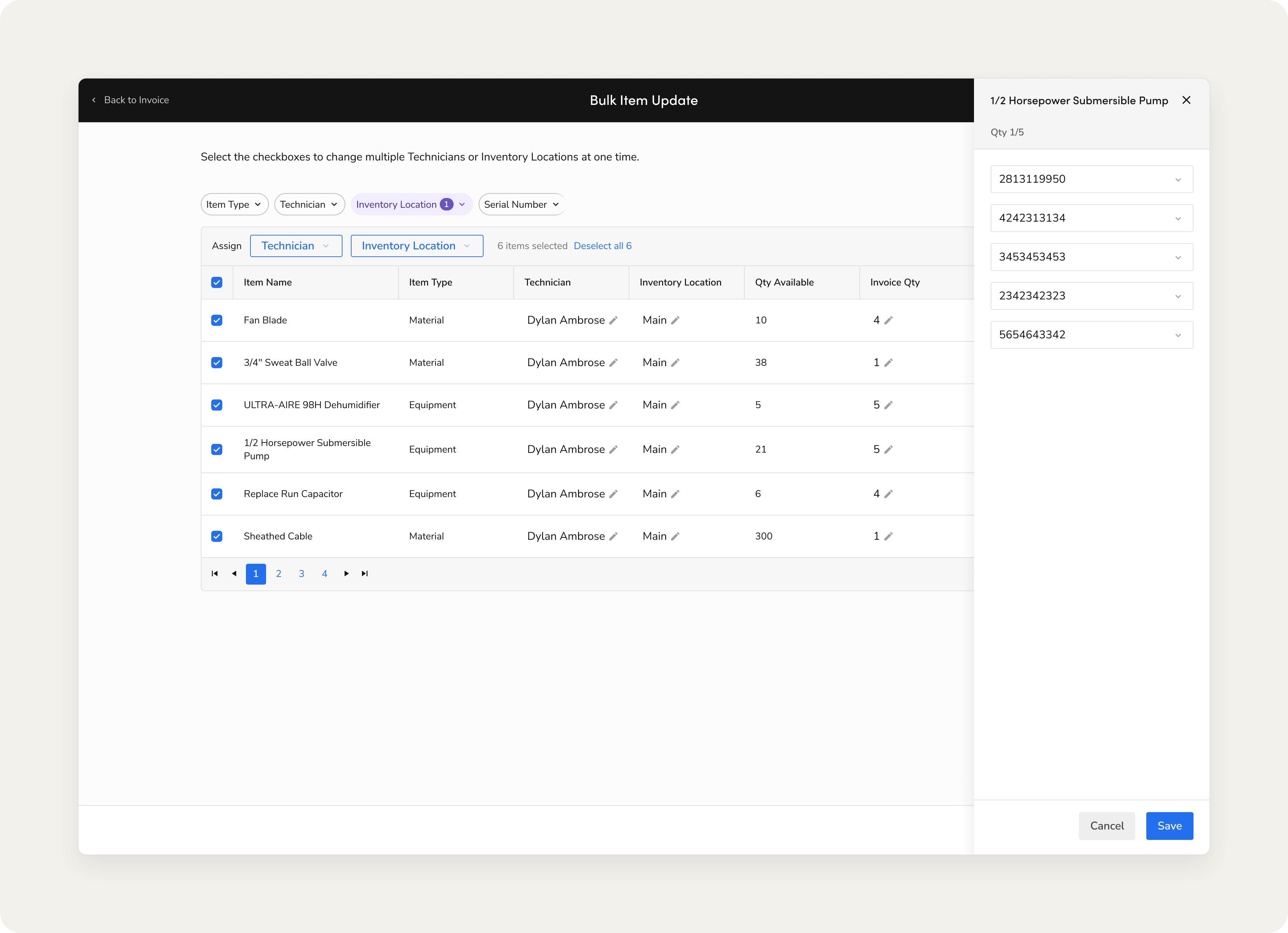
On the web app, inventory managers were burning time on a task that should have taken seconds: updating inventory locations one item at a time. I used heatmap data and qualitative user feedback to understand the pain points, identifying error-prone patterns and friction points across the invoice page, then designed a bulk update workflow with multi-select, filtering, and batch assignment.
Five moderated usability tests validated the design before launch. The results after release were significant: customer accounts using the inventory module more than tripled, daily active users nearly tripled, and the module's CSAT score rose 26%.
Customer accounts
Active users
CSAT